


Людмила С.





 (Пока оценок нет)
 Загрузка...
In 2026, the British Embassy issues only electronic UK visas. Visas are no longer placed in international passports but are uploaded to the applicant’s profile in the UKVI system. However, the application process had already moved to a digital format before eVisas were introduced. Applicants must prepare their documents as digital files, which are the documents the Embassy’s consular service examines when making a decision. Unfortunately, experience shows that many applicants encounter problems when uploading documents for a UK visa. Further difficulties arise because the VFS Global Visa Application Centre website is unreliable: a VPN is often needed, access may be blocked, pages may freeze, and other technical problems occur.
Applicants often think that uploading electronic copies is very simple and quick. In practice, however, this is far from the case. Uploading documents for a UK visa requires knowledge of the Embassy’s rules, attention and time. It is a separate and very important stage of the UK visa application process. Mistakes made during uploading can do more than cost extra time. They can cause problems with acceptance of the application at the VFS Global Visa Application Centre, delays in processing and even a refusal. Below, we explain the current rules for uploading UK visa documents in detail. Our instructions can help you avoid common mistakes and save time.
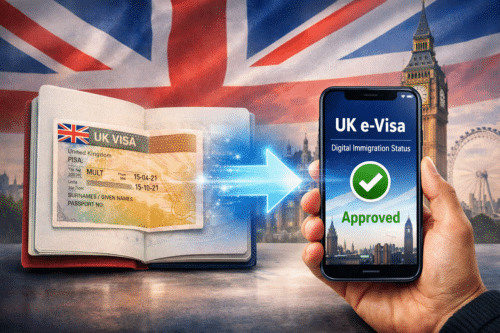
In 2026, the United Kingdom completely stopped using visa stickers in passports and switched to electronic visas (eVisas). All visa information is now stored in the UKVI system, and applicants must not only obtain approval but also register and use their electronic visa correctly. Since the new rules raise many questions, we have prepared a separate section on our website about electronic UK visas and all the changes that took effect in 2026. Follow the link to read the latest information.
Applicants must upload all supporting documents to obtain a UK visa. As a reminder, when considering an application, the Embassy takes account of the online application form and the set of UK visa documents. These substantiate the information in the form, explain the purpose of the trip and provide detailed information about the applicant’s circumstances. Russian applicants’ original letters, statements and certificates are generally in Russian. However, the Embassy’s consular service requires all documentation to be accompanied by English translations. When uploading UK visa documents electronically, you must therefore attach both the originals and the translations.
Please note that translations for a UK visa must be accurate, with no errors or changes in meaning. A poor-quality translation can sometimes lead to a refusal. You do not necessarily have to use professional translators – applicants can translate the documents themselves. No certification is required. However, it is important to assess your abilities objectively: you need a high level of English. If you have any doubts, it is better to use professional services.

|
||
|
The screenshots above show pages from the official UK border authority (UKVI) website, which publishes a detailed guide to supporting documents for a UK visa. It explains exactly which UK visa documents you need to prepare depending on the purpose of your trip and the visa category you choose, including the Standard Visitor Visa. We recommend starting your preparation and uploading of UK visa documents by studying the official UKVI requirements, as these are the primary source of current information. If you have questions or do not want to work through all the details yourself, you can always contact us for advice and assistance. |
||
You upload UK visa documents in your personal account on the VFS Global Visa Application Centre website, not while completing the form on the UKVI website. This is important because many people waste time looking for an upload tab while filling in the application form. These are separate processes. On the official immigration service (UKVI) website, applicants submit their application: they choose the appropriate UK visa category, enter their details, specify the dates and purpose of their trip and so on.
The appointment is then booked on the VFS Visa Application Centre website. Every applicant must attend the centre in person to present their international passport and provide biometric data. The Visa Application Centre collects the documents and sends them to the Embassy for further consideration. UK visa documents are therefore uploaded on the VFS Global website, through the applicant’s personal account. After the form has been completed, the UKVI system redirects the applicant to the Visa Application Centre website, where they must book a submission appointment by selecting and reserving an available date and time in the appointment calendar.
The upload section becomes available only after an appointment has been booked. Until then, you cannot attach electronic documents. This is a system requirement, not an error. You must first book an appointment at the VFS Global UK Visa Application Centre, and you can then upload your documents. Uploading is allowed almost until the time of your visit to the centre. Of course, it is better to do everything well in advance to avoid mistakes. Technical problems can also make it impossible to access your account, which may prevent you from uploading your UK visa documents in time.
Before uploading documents on the VFS Global website, you need to prepare them correctly. Simply scanning letters and statements and attaching them to your account is not enough. You must follow the rules to ensure that the documents are uploaded successfully and can be opened in the required format without breaching the requirements. Only then will the supporting documents be accepted for consideration. We have compiled the most common mistakes applicants make when preparing files:

|
|
UK visa documents must be uploaded in the specified format: the VFS Global system accepts PDF, JPG, JPEG and PNG files no larger than 2 MB. If a file exceeds the size limit, you need to reduce its size, for example by scanning at a resolution of 150-200 DPI, or split the document into several parts and upload them separately. In practice, applicants most often use specialist online services to prepare their files, and one of the most convenient is iLovePDF. It allows you to compress documents, combine several pages into one file, split PDFs and convert documents into the required format. In many cases, tools like these help resolve common document upload errors and prepare files correctly. |
Our company handles clients’ applications for various UK visa categories every day. We regularly work with the UKVI website and the VFS Global Visa Application Centre portal, so we have extensive practical experience. Uploading documents to the UK Visa Application Centre website is included in the price of our services and is carried out by our specialists as part of the comprehensive preparation of your document package. We have put together some useful tips for applicants on how to upload UK visa documents correctly through a VFS account. These recommendations will also be useful to those applying independently. We hope they help you understand the procedure more clearly.
We should reiterate that uploading UK visa documents on the VFS Global website is a separate stage of the visa application process. Unfortunately, it takes quite a lot of time. You cannot simply scan the documents quickly and upload them instantly. You must follow the rules precisely, including file format and size requirements. Also bear in mind that the VFS Global website frequently experiences problems that can make it impossible even to log in to your account. We therefore recommend not leaving uploading until the last minute – you may not manage to complete everything before your visit to the Visa Application Centre.
There are specific rules for uploading documents for a UK visa. Follow them. If you encounter difficulties, ask visa specialists or other experienced applicants for advice. Our website, for example, has many application guides. In particular, we have prepared a list of services for processing UK visa documents. These can help you compress files, convert them to the required format, and combine or split them. If you still have questions, send them to us through the website or in our Telegram chat about UK visas.
Obtaining a UK visa in 2026 is quite difficult. If you do not want to immerse yourself in the process and spend your time on it, contact us. We handle all registration steps, including uploading UK visa documents through the VFS Global website. We will also complete your application form in English, translate your documents, register an account for you on the VFS Global Visa Application Centre website, and help you upload and check your electronic visa in the UKVI system. If necessary, we can also help you book a UK Visa Application Centre appointment using a bot, saving you from constantly monitoring available slots manually. Please also note that our company's fee for UK visa application services is refundable if your visa is refused.

|
|
If you have difficulty uploading UK visa documents on the VFS Global Visa Application Centre website, need assistance, or want to understand which documents to upload and how to process, combine, categorise and prepare them correctly, you can always ask in our Telegram chat about UK visas. In this chat, you can find current information, learn from other applicants’ experiences and ask questions. Both people who have already completed the application process and our company’s specialists with practical experience of UK visa applications will help you. The chat is fully open, requires no registration and is available 24 hours a day, 7 days a week. Our free Telegram chat is therefore a convenient way to learn the current rules for uploading UK visa documents and keep up with the latest visa changes. |
Старт лотереи Green Card DV-2027 ожидался еще осенью 2025 года, однако прием заявок так и не открылся в привычные сроки. Госдепартамент США объяснял задержку изменениями в программе и дополнительной подготовкой,...
Визы в Британию россиянам в 2026 году по-прежнему выдают. На сегодняшний день мировые политические события не влияют на процедуру оформления. Визы в Великобританию российские граждане могут получить, как и прежде....
С 08 апреля 2026 года Великобритания увеличивает размер консульских сборов. Повышение цен затрагивает практически все категории британской визы, включая самую популярную – Standard Visitor Visa. Напомним, что данная виза выдается...
Правительство США продолжает бороться с нелегальными мигрантами, в том числе ужесточая визовую политику. В рамках новых правил оформления визы в США для ряда стран было введено правило визового залога (Visa...
В последнее время появлялось множество тревожных обсуждений и слухов о программе DV (лотерея Green Card 2027). Пользователи и эксперты тематических чатов выдвигали самые разных теории – об отмене лотереи, о...
С 25 февраля 2026 года Великобритания официально отменяет выдачу визовых стикеров, их заменят электронные визы. Напомним, что до недавнего времени британская виза вклеивалась в заграничный паспорт аппликанта. На границе (и...
В 2026 году в США (а также в Мексике и Канаде) будет проходить главный футбольный турнир – FIFA World Cup 26. И многие болельщики планируют посетить матчи Чемпионата мира по...
Госдепартамент США опубликовал официальные данные по одобрению туристической визы США B1/B2 гражданам разных стран. По официальной статистике отказов в визе США B1/B2, данные представлены за прошедший финансовый год, охватывая период...
14 января 2026 года Государственный департамент США опубликовал официальное руководство, посвященное изменению практики обработки и выдачи иммиграционных виз для граждан стран, которые по внутренним оценкам американских властей относятся к категории...
В последнее время вокруг лотереи Diversity Visa появилось много тревожных сообщений, из-за которых у заявителей возникает ощущение неопределенности и паники. Считаем необходимым сразу прояснить ситуацию и отделить факты от домыслов....
Посольство США в Астане внесло изменения в график проведения визовых собеседований в конце декабря. Все интервью, ранее назначенные на 24 и 26 декабря, перенесены на 29 декабря. Изменение затронуло всех...
В Соединенных Штатах официально завершился самый продолжительный шатдаун в истории страны. Президент Дональд Трамп подписал закон о временном бюджете, который восстановил финансирование федеральных ведомств и позволил государственным структурам возобновить работу....





Спасибо, ваш вопрос отправлен
Мы получили ваш вопрос и передали его на модерацию. После проверки он появится на этой странице. Обычно мы публикуем ответы в течение 1-3 рабочих дней. При высокой загрузке рассмотрение может занять немного больше времени, поэтому ответ иногда появляется позже.
Добавьте эту страницу в закладки и вернитесь к ней через несколько дней, чтобы узнать, появился ли ответ на ваш вопрос.
Если вам нужна комплексная помощь с оформлением визы, оставьте заявку - специалист свяжется с вами и расскажет о дальнейших шагах.